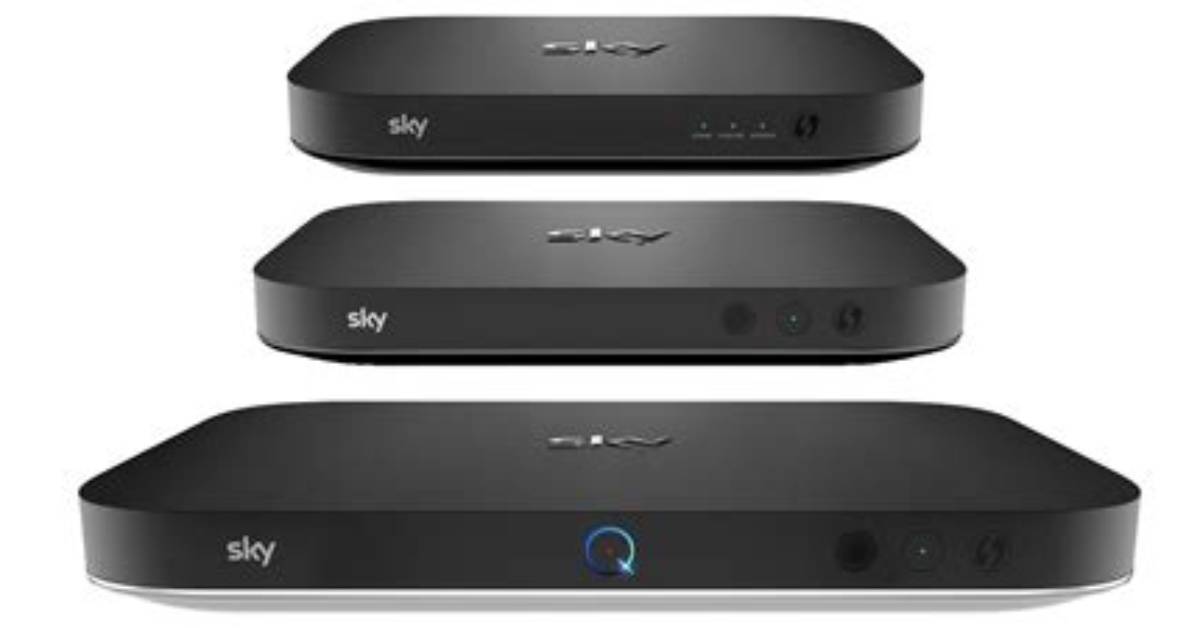
Sky Q was released by Sky back in 2016, and since then you may have also heard of Sky Stream and Sky Glass, their other streaming services. Each platform offers a place to have all your channels, apps and subscriptions in one place, easy to flick between in comparison to having to close one app and open another.
Now, we’re not saying that’s particularly strenuous, but it can't hurt to make life a little easier either. It will keep the whole family entertained, with something for everyone to watch that tickles their fancy.
We're here to tell you a bit more about Sky Q. Want to know more about how exactly it works, and how much it costs? Here's our comprehensive guide on Sky Q, and whether it's worth the investment.
More like this
For information about the other Sky services and the differences between them, check out our guide on Sky Stream, Sky Glass vs Sky Stream and Sky Q vs Sky Stream. To check out some of the latest deals, head to the best Sky Sports offers and Sky Glass offers now.
What is Sky Q?
Sky Q is effectively where you can see your services, apps, and channels all in one place. It allows you to flick between Sky TV, Netflix, Disney Plus and whatever else you fancy.
It launched in 2016 to replace Sky’s current services, Sky+ and Sky+ HD. It’s a multimedia platform which combines your usual telly with on-demand and catch-up services, such as BBC iPlayer, ITV Hub and All4, and third-party apps like YouTube, Amazon Prime Video and Spotify.
The standard Sky Q box supplied with any Sky TV package is the Sky Q 1TB. It comes with 1TB of storage (1 terabyte is equal to 1000 gigabytes), so you have plenty of space to record your favourite shows, including Sky Originals like Intelligence, A Town called Malice and Dreamland, and you can record on up to three channels at once. You can also pause and rewind live TV - perfect for you Sky Sports customers out there.
Does Sky Q come with a Sky Q Mini box? It doesn’t. If you'd like to watch telly in Ultra HD, you’ll have to pay £12 to upgrade, and that’s the same with watching videos on more than one screen. If you want to access your Sky subscription on more than one TV at once, you’ll need to sign up for Sky Multiscreen for £15. You’ll then receive one Sky Q Mini box to put in a second room, and if you're after more than one box (you’re allowed up to four per household), it’ll be an extra £50 per box.
Sky Q comes with a voice-controlled remote, too. If you’re stuck for something to watch, you can ask: “What shall I watch?”, and it’ll suggest films and shows for you to view depending on your past searches - clever, right?
How does Sky Q work?
It really is quite simple. The Sky Q box works alongside your satellite dish to bring you all your streaming services, channels and apps to one place. The box can sit under your TV and comes with a Sky remote with voice controls. It is available in 1TB or 2TB capacities (depending on how much recording capability you need) and can be customised to suit your needs.

